Check Windows Volume
Check Windows Volume
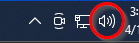
- Find the speaker (volume) icon in the lower right-hand corner of the screen (by the clock.)
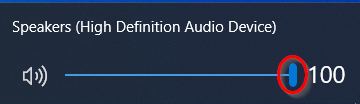
- Grab the slider with the mouse button, and drag it all the way to the right. Alternatively, you can place the mouse over the slider and roll the mouse wheel up. Most of our systems need the volume at 100 on the headsets, but if someone is using a personal headset, this level can be much lower.