Help Desk 2FA Login
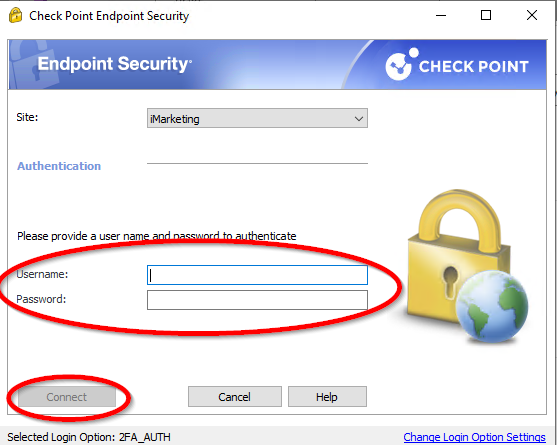
- In the Check Point application, enter the username (this will be provided by the company) and your username (this was set by you), then click Connect. If you aren't sure what this information is, reach out to Tech Support at workfromhome@imkgp.com.
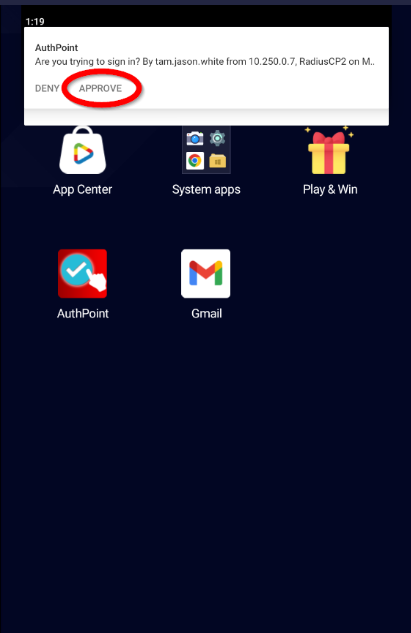
- While logging in, keep an eye on your phone for the notification to pop up. Once it does, click APPROVE, and you should get logged in. NOTE: Only click APPROVE if you are currently trying to login. If this notification pops ups, and you are not trying to login, someone else is using your credentials. Notify IT immediately.