Help Desk 2FA Setup
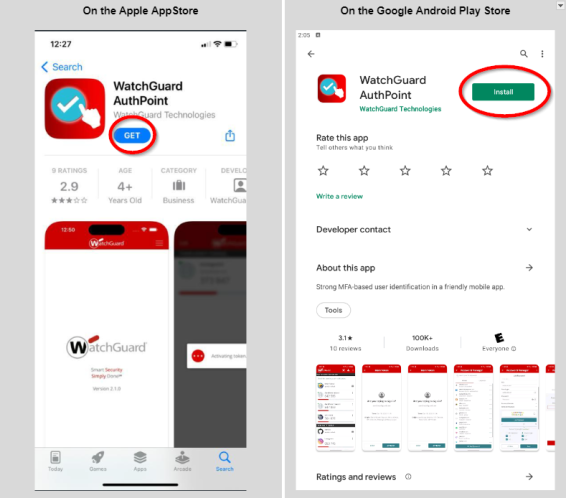
- Download the the free WatchGuard AuthPoint application.
- Go to the Google Play Store or the Apple App Store and search for Watchguard AuthPoint.
- If you have an Apple phone, click the blue GET button and wait for the app to install.
- If you have an Android phone, click the green Install button and wait for the app to install.
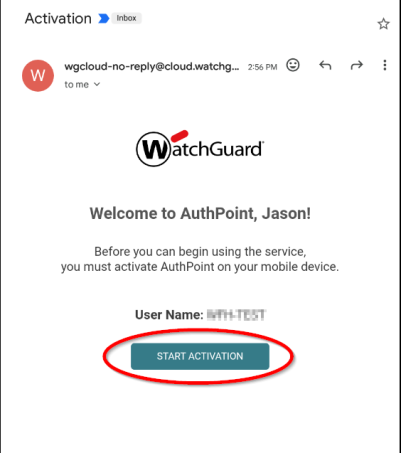
- Find the email from WatchGuard, open it and click on the Start Activation button.
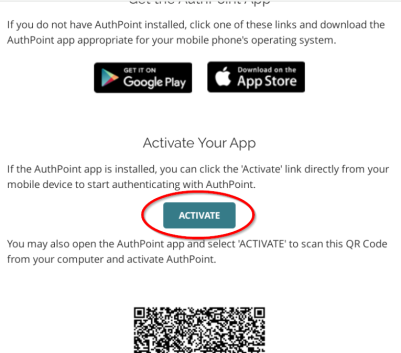
- After the next page opens, click the Activate button.
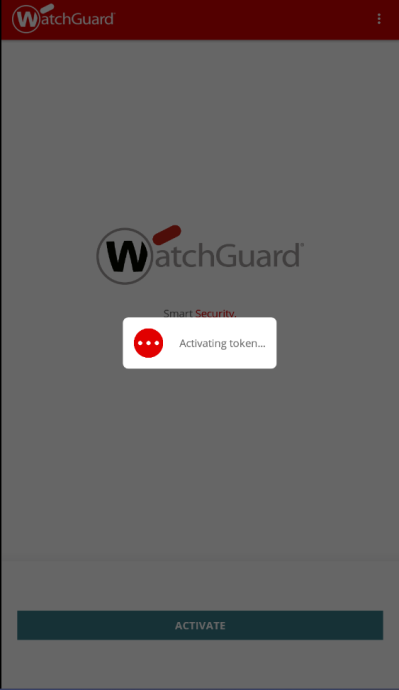
- The token will activate. This can take a few minutes. You don't have to do anything while it activates, just wait for the next screen to load.
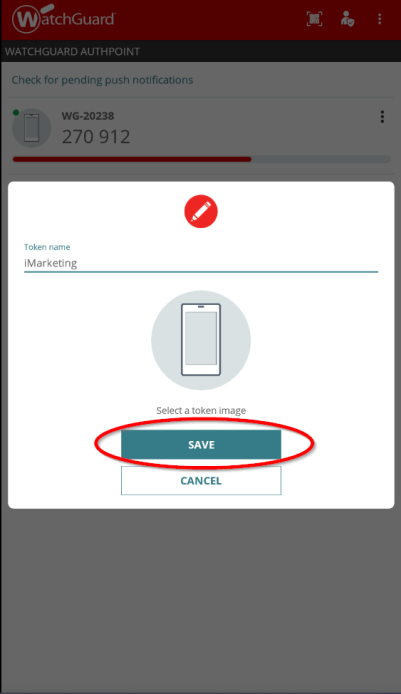
- Once it's activated, you can set a token name (not required). I named this one iMarketing. Click the Save button.
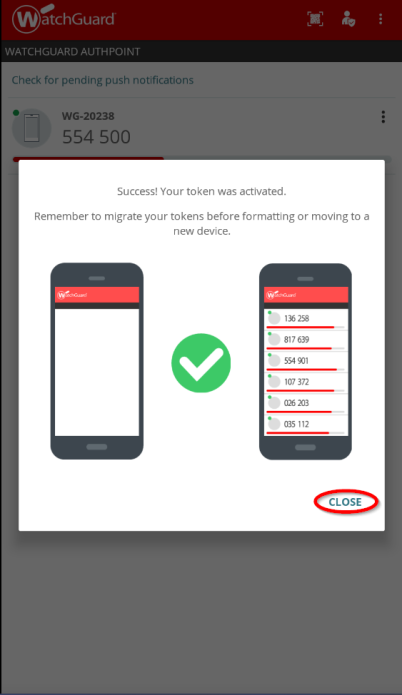
- This screen verifies the token is setup and ready. Press the Close button.
If any information is incorrect or out-of-date, please notify the Technical Support team at workfromhome@imkgp.com.


