Help Desk 2FA Move Token
These are the instructions to migrate your 2FA token to a new mobile device. This will delete the token on your current device, and send an activation email to the address we have on file. If you need your email address updated before moving the token, please email us at workfromhome@imkgp.com.
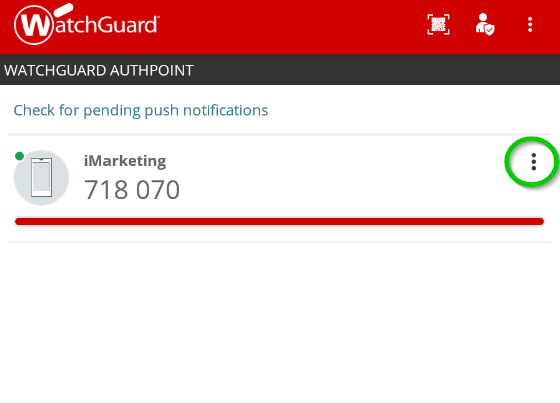
- Open the WatchGuard AuthPoint app on your mobile device, and click the menu icon (the 3 dots circled in green) next to the token you want to move.
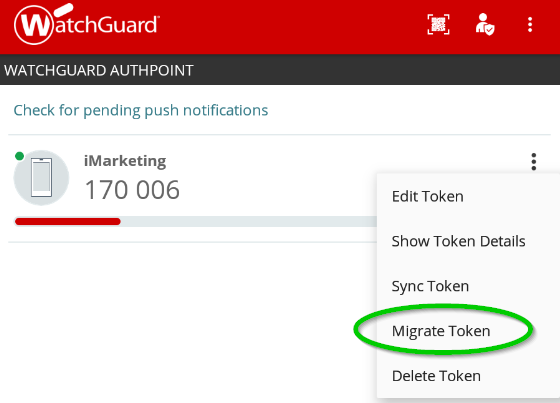
- Push the Migrate Token option on the menu.
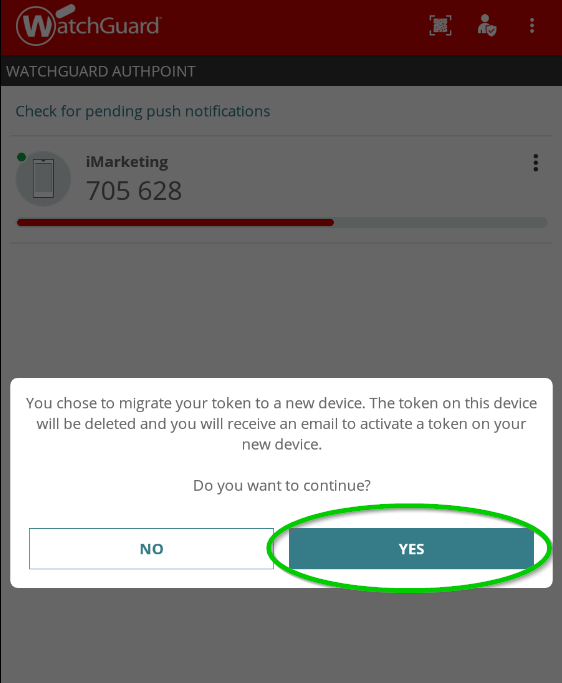
- Press the Yes button.
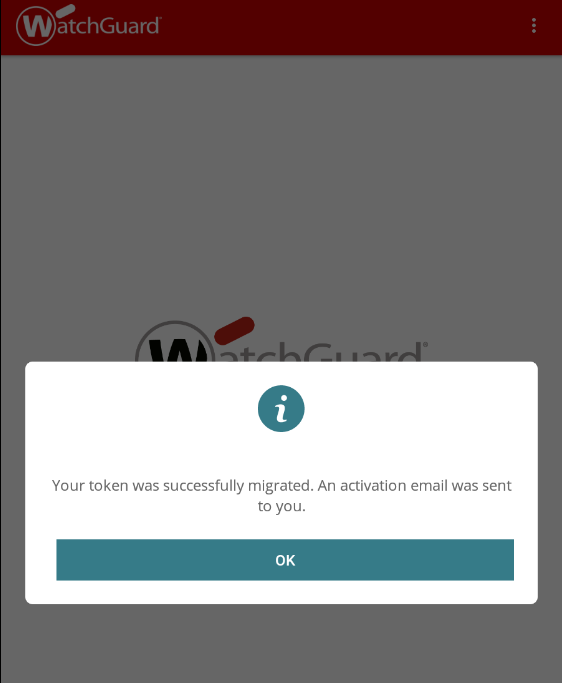
- The token will be deleted and an email will be sent to setup the token on a new device.
- Click here for instructions on how to setup the token on your new device. If any information is incorrect or out-of-date, please notify the Technical Support team at workfromhome@imkgp.com.


