Restart Apps: Difference between revisions
Jump to navigation
Jump to search
No edit summary |
(fixed whitespace) |
||
| Line 5: | Line 5: | ||
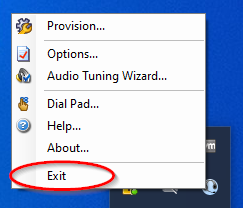
# Right click the icon to bring up the softphone’s menu, then click '''Exit''' at the bottom of the menu.<br> <br>[[File:Restart2.png]]<br> | # Right click the icon to bring up the softphone’s menu, then click '''Exit''' at the bottom of the menu.<br> <br>[[File:Restart2.png]]<br> | ||
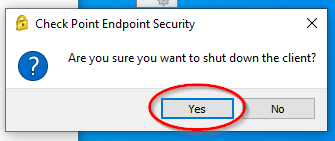
#Find the CheckPoint icon in the lower right-hand corner of the screen (by the clock.) <br> <br>[[File:Restart3.png]]<br> | #Find the CheckPoint icon in the lower right-hand corner of the screen (by the clock.) <br> <br>[[File:Restart3.png]]<br> | ||
#Next,[[File:Restart4.png]] | #Next,<br> <br>[[File:Restart4.png]]<br> | ||
#Next,[[File:Restart5.png]] | #Next,<br> <br>[[File:Restart5.png]]<br> | ||
# | |||
Revision as of 23:50, 10 April 2024
Restart Applications
- Log the user out of scripter (don't skip this step, it can cause issues trying to log back in). The fastest way to get logged out is to hit F5.
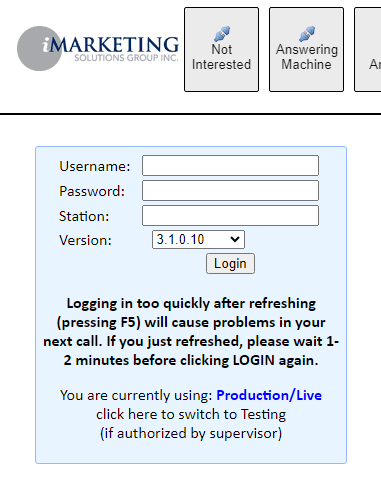
- Find the phone icon in the lower right-hand corner of the screen (by the clock.)
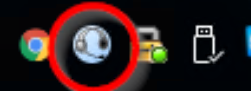
- Right click the icon to bring up the softphone’s menu, then click Exit at the bottom of the menu.
- Find the CheckPoint icon in the lower right-hand corner of the screen (by the clock.)

- Next,
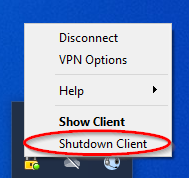
- Next,